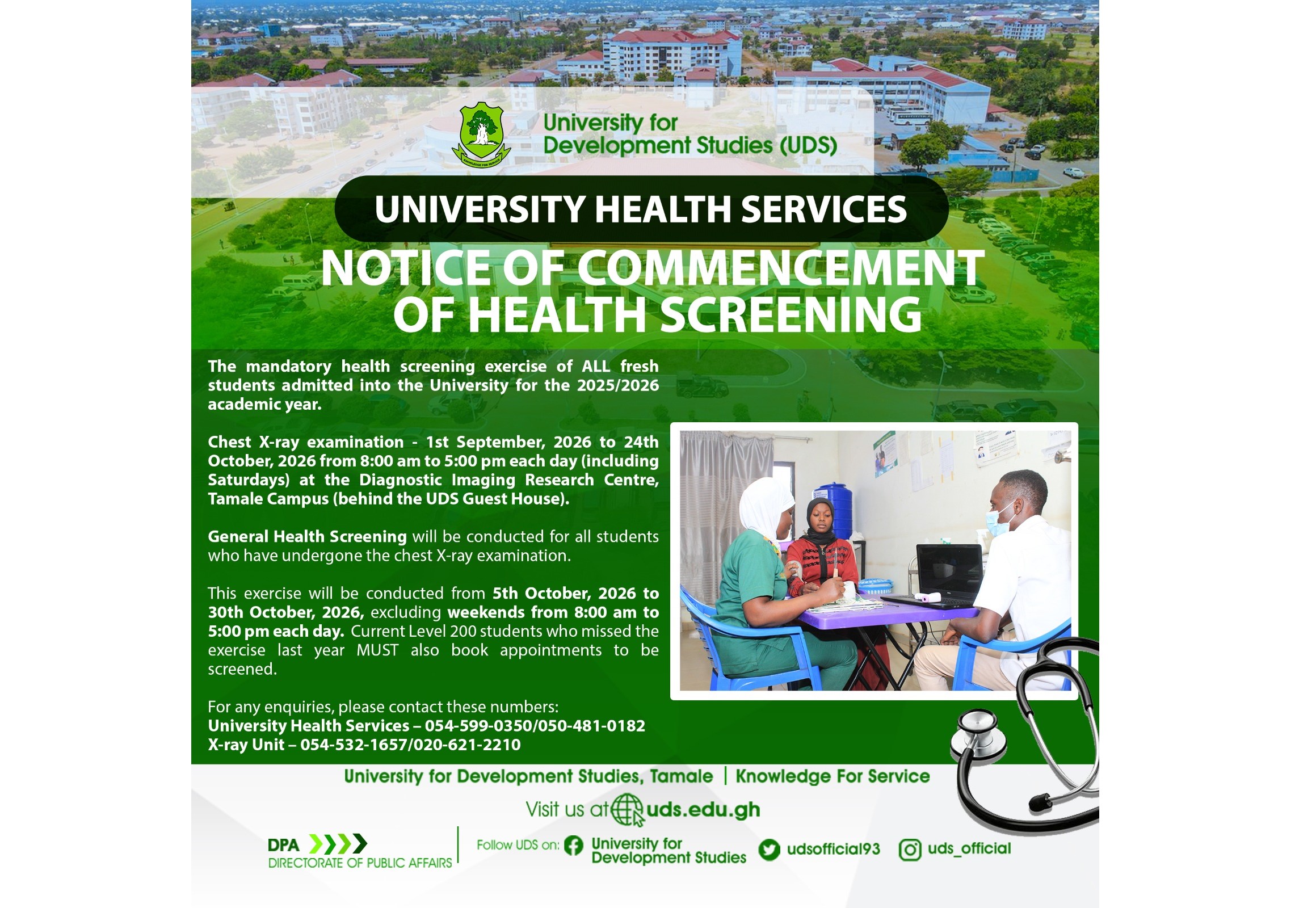
All categories of newly admitted students (undergraduate & postgraduate students), effective 2024/2025 academic year, are expected to undergo a compulsory health screening by the University. The Health Screening exercise comprises Chest X-Ray Examination and General Health Screening.
Only the chest X-ray examination component of the exercise will be charged at a fee. The procedure for the enitre exercise is outlined as follows:
1. How To Pay for Your Chest X-Ray Examination
A fee of One Hundred and Fifteen Ghana Cedis (GHC 115) should be paid into the following Bank Account: UDS Clinic Account, 8141470000478, GCB Bank, UDS Dungu Branch. After payment of the fee, log into your student portal to book an appointment for the first stage of your medical screening.
2. How To Book Appointment
3. Service Delivery Order
3.1 Chest X-ray Examination
The chest X-ray examination will be conducted for all students from 1st September, 2026 to 24th October, 2026 from 8:00 am to 5:00 pm each day (including Saturdays) at the Diagnostic Imaging Research Centre, Tamale Campus (behind the UDS Guest House).
Immediately book an appointment for the chest X-ray through the Health Services tab in your student portal. Click on the available dates to view and book any day with available slots.
Click on the button at the end of your appointment record on the Health Services page and fill in the “medical history” form that pops up and submit it online before you visit the chest X-ray Unit.
Remember to take along your payment receipt to the X-ray Unit to show as evidence of payment before you will be examined.
Make sure you receive a clearance chit with a stamp and serial number on it at the X-ray Unit after your chest X-ray examination before you leave the premises. This will be needed as a pass to enable you undergo the General Health Screening as the next examination.
3.2 General Health Screening
The General Health Screening will be conducted for all students who have undergone the chest X-ray examination. This exercise will be conducted from 5th October, 2026 to 30th October, 2026, excluding weekends (from 8:00 am to 5:00 pm each day).
The “medical history” form you submitted online through your portal will be reviewed online by the Doctor when you go for the General Health Screening. If everything is OK, you will then undergo physical examination and laboratory tests.
Students on the Tamale and City Campuses will attend their General Health Screening sessions at the Library Block on the Tamale Campus; students on the Nyankpala Campus will attend their sessions at the UDS Nyankpala Campus Clinic.
Students will be screened at each venue on first come, first served basis. A student who goes to their respective screening venue without the clearance chit issued to them at the X-ray Unit will not be screened. Note that the payment receipt is not needed at this stage.
3.3 If You Miss Your Booking Date
Don’t worry if you are not able to attend your booked session, or if you are not screened on your chosen date due to unavoidable reason. Simply log into your student portal and book another date for the X-ray examination, and then go to your respective General Health Screening venue to be screened on any day and time of your convenience.
Note that these rescheduled sessions must be within their respective periods stated above.
4. How to Get Your Health Screening Report
Your health screening report (comprising both Chest X-ray and General Health Screening results) will be uploaded on to your student portal. You can access your report within 2 weeks from the closure date of the General Health Screening exercise. Please, check the status of your appointment record on your portal after screening for Report Uploaded, then click the button at the end of the appointment record to view and download or print your report at your convenience.
Note that your health screening report will not be in your portal until you have completed both Chest X-ray and General Health Screening components of the exercise.
5. In case of Incidentals
Should there be any incidental finding that requires further action, the University Health Services will contact you. In the absence of such finding, print out your health status declaration report and show this as evidence to pick up your student ID card.
6. For Further Enquiries
For any enquiries, please contact these numbers:
View your student profile, register your courses, etc.
Access learning material on the University's e-Learning platform
Access the University library's resources
Search for and view staff profile